Why Voice Matters in Training Content
A learner can forgive a plain slide but not a flat or confusing voice. In online courses the narrator is the teacher the learner never meets. Surveys of corporate learners repeatedly show that content in the native language is remembered better. When a company expands abroad it often translates the slides and leaves the audio in the original language. Engagement drops quickly because listeners must read and listen at the same time. Recording the narration in the learner language solves this problem and shows respect for the audience. The result is higher completion rates and fewer questions to support teams.
Training providers face the same balance between speed and quality when written courses move into many languages. Teams using professional translation services now let AI prepare first drafts and organise files, while native linguists review the script before any voice is recorded. That workflow prevents errors from being baked into audio that is expensive to redo. A documented checklist for review keeps every language version at the same standard.
Voice Over Versus Subtitles
Many teams start with subtitles and add audio later once the course proves its value. Subtitles are cheap and fast and they work well for short clips. Voice over costs more but it lets viewers keep their eyes on the screen. This matters in software demos and safety training where attention is split. Some projects use both so that viewers who prefer reading or who watch without sound still follow the content. Decide based on the task the learner must perform and not only on the budget.
Prepare a Script That Translates Well
A script written for the ear is shorter and simpler than a text written for the eye. Short sentences also help the actor keep a steady rhythm and reduce breathing noises in the recording. Avoid idioms and long chains of clauses. Mark the places where the screen changes so the translator can match the timing. Many languages need more words than English to say the same thing so leave room in the schedule. A clean script saves hours in recording and editing and cuts the number of retakes.
Choosing the Right Talent
The voice should match the audience and the brand. A friendly tone suits onboarding while a calm and serious tone suits compliance. Regional differences matter too because Spanish for Mexico sounds different from Spanish for Spain. Native speakers from the target country sound natural and avoid accent issues that distract. Ask for demos and listen for clarity and pacing. Good providers of multilingual voice over services maintain rosters of actors by language and style and can recommend the best fit for your project.
Recording Quality Basics
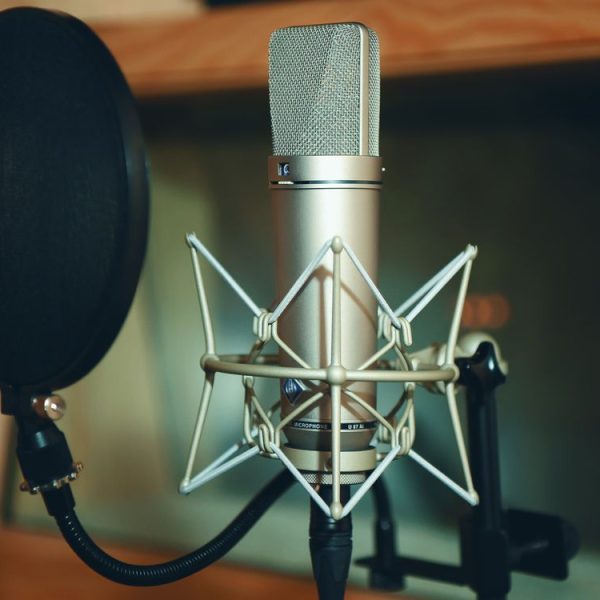
Home setups can work for internal material but public courses deserve studio quality. Professional audio needs a quiet room and a good microphone and a pop filter. Background noise and echo are almost impossible to remove later. Request a short test recording of one paragraph before approving a full order. Ask for samples recorded in a studio and confirm that the file format matches your editing software. Consistent volume across all lessons helps learners who switch between languages. Small technical details decide whether a course feels polished or amateur.
Timing and Synchronization
Translated narration often runs longer than the original. A spreadsheet with the length of each segment in every language makes this planning much easier. The editor may need to adjust animations or add short pauses so audio and video stay together. Plan this work early. If slides contain on screen text the translated text must appear at the right moment. A pilot group of five or six learners from the target country gives valuable feedback before the full launch. Teams that test the full course in each language before release avoid embarrassing mismatches.
Managing Many Languages at Once
Large projects involve dozens of files and several vendors. A simple pattern with lesson number and language code and version is enough to avoid confusion. Naming rules and version control become essential. Teams that coordinate this work often look at ai platforms like chatgpt to draft notes and organize requests. These tools can support planning and communication but the recording and the linguistic review still need human professionals with native fluency.
Quality Checks Before Delivery
Every audio file should be checked by a native speaker who follows the script. They listen for mispronounced terms and unnatural stress and missing words. Fixes should be recorded in a short log so the same error does not return in later projects. A second reviewer checks the sync with the video. Keep a checklist and record every correction. This process catches the small slips that learners notice immediately and often mention in feedback.
Accessibility and Inclusion
Audio is only part of an accessible course. Captions and transcripts help people with hearing loss and learners in noisy places. Guidance from the W3C Web Accessibility Initiative explains how to make audio and video content usable for everyone. These measures cost little when planned early and a great deal when added after launch. Following these principles also improves search visibility and satisfies legal requirements in many countries.
Cost Drivers and Savings
Prices depend on script length and language and talent level and studio time. Savings come from clean scripts and batch recording and reuse of approved terms. Locking the script before recording begins is the single best way to control the final bill. Avoid last minute changes because each new line means another recording session. Ask providers to quote per finished minute and to include basic edits so the total stays predictable.
Labor Market Context
The language profession is growing as companies reach new markets. Data from the US Bureau of Labor Statistics shows steady demand for translators and interpreters. Companies that hire experienced linguists early tend to avoid expensive rework. That trend also supports voice work because audio projects depend on the same linguistic skills.
Building a Repeatable Process
This habit pays off every time a product changes. Treat each course as part of a library. Keep scripts and glossaries and voice choices in one shared place. When you update a lesson only the changed lines need new recordings if the same actor is available. A short style guide describing tone and pacing keeps new lessons consistent with old ones. Planning for updates from the start keeps content fresh and costs low across all markets you serve.